


You spent 20 minutes writing a Facebook post that you genuinely thought would spark a conversation. You hit publish. An hour later — three likes, zero comments, and the quiet sting of being ignored by the algorithm. Sound familiar? Most people assume the problem is the content. Often, it’s the clock.
Knowing the best time to post on Facebook isn’t a minor detail — it’s the difference between a post that gets buried in six minutes and one that rides a wave of early engagement into broader organic reach. Facebook’s algorithm heavily weights the first 30–60 minutes after publishing. If nobody’s online to react, your post dies quietly before it ever gets a chance.
This guide is about timing specifically for replies and comments — not just passive reach. Because a like costs nothing, but a comment tells Facebook your post is worth amplifying.
Why the First Hour Determines Everything
Facebook’s ranking system treats early engagement as a quality signal. A post that collects 8 comments in its first 45 minutes gets shown to a wider audience in the next few hours. A post that sits cold for 90 minutes gets deprioritized fast, even if it eventually picks up traction. This is why posting at 2 AM when your audience is asleep is essentially publishing into a vacuum.
The Comment Velocity Effect
Comment velocity — how quickly replies accumulate after publishing — is one of the strongest signals Facebook uses to decide whether to push a post further. Even 3–4 early comments can trigger a second wave of distribution. That’s why timing your post to land when your most engaged followers are actively scrolling matters far more than posting when you personally have a free moment.
If you’ve been wondering why your Facebook posts get no comments, timing is often the silent culprit hiding behind content-focused explanations.
Organic Reach Windows
Facebook posts have a functional lifespan of about 5–6 hours for most business pages. After that, new impressions drop sharply. Hitting a high-traffic window at the start of that lifespan means more eyeballs during the period when the algorithm is still actively testing your content against different audience segments.
The Actual Best Windows for Comments (With Real Numbers)
Aggregate data from multiple social media analytics platforms consistently points to a few reliable windows. These aren’t universal absolutes — your specific audience matters — but they’re strong starting points before you have your own data.
- Tuesday–Thursday, 9 AM–11 AM local time: Midweek morning is the most consistently high-engagement window across B2C and B2B pages alike. People are at their desks, phones in hand, and mentally warmed up.
- Wednesday, 11 AM–1 PM: This slot appears in nearly every major study as the single highest-performing window for comment generation specifically — not just reach.
- Friday, 9 AM–10 AM: Pre-weekend energy makes people more conversational and opinionated, which translates directly into replies.
Sunday evenings (7 PM–9 PM) also perform well for consumer-facing pages, particularly for lifestyle, food, and entertainment content. People are relaxed, scrolling, and in a mood to engage rather than consume passively.
Pro tip: Don’t just schedule for when your audience is online — schedule for when they have a reason to reply. A controversial question posted at 9 AM on a Wednesday will outperform a bland update posted at peak hour every single time. Pair good timing with a post that actually invites a response, like the approaches covered in Facebook hooks that spark replies.
How Your Audience Timezone Splits Your Data

If your page has followers across multiple time zones — common for any brand with national or international reach — a single “best time” becomes a compromise. Posting at 9 AM EST means your California audience sees it at 6 AM, which is effectively dead air for comments.
Segmenting by Your Top Audience Region
Go into Facebook Insights and look at your top three audience locations by city or country. Build your primary posting schedule around the timezone where at least 40% of your engaged followers live. That’s your anchor timezone. For secondary markets, consider a second post or a boosted version scheduled 3–4 hours later.
For pages running paid campaigns, this matters even more. If you’re running ads with comment goals, timing your ad delivery to overlap with peak organic engagement hours can reduce your cost-per-comment significantly. Understanding how to get a direct link to your Facebook ad also helps you drive additional comment traffic from other channels during those peak windows.
Mobile vs. Desktop Behavior
Mobile users comment more impulsively and during commute hours (7–9 AM, 5–7 PM). Desktop users tend to leave longer, more considered replies during work hours. If you want short, quick replies that stack up fast and signal engagement, target mobile-heavy windows. If you want substantive discussion threads, mid-morning desktop hours tend to generate that kind of depth.
Testing Your Own Page’s Peak Engagement Time
Generic timing data is a starting point, not a final answer. Your page has its own unique audience behavior, and the only way to find your actual best time to post on Facebook is to run a structured test.
Post the same type of content — same format, similar topic, similar call-to-action — at four different time slots over four weeks. Use Wednesday 9 AM, Wednesday 12 PM, Thursday 9 AM, and Friday 9 AM as your test slots. Track comment count at the 2-hour mark and the 24-hour mark separately. The 2-hour number tells you about velocity; the 24-hour number tells you about sustained reach.
After four weeks, you’ll have a clear winner. Then test that winner against a Sunday evening slot. Most pages find one of two patterns: a strong weekday morning peak, or a split between weekday morning and weekend evening. Both are workable — you just need to know which one is yours.
Once you’ve nailed timing, make sure the posts you’re scheduling are actually built to generate replies. These five Facebook post formats consistently outperform in comment generation and pair well with optimized timing.
Scheduling Tools That Don’t Kill Your Reach
There’s a persistent myth that using third-party scheduling tools suppresses Facebook reach. Meta has not confirmed this, and multiple independent tests have found no significant difference between natively scheduled posts (via Meta Business Suite) and posts published through approved third-party tools like Buffer or Hootsuite.
Meta Business Suite Scheduling
The safest and most reliable option is Meta’s own Business Suite scheduler. It lets you set exact publish times, preview how your post will look, and even suggests optimal times based on your page’s historical engagement data. Use the “suggested times” feature as a cross-check against your own testing — when they align, you’ve found a genuinely strong window.
Recurring Post Schedules
Consistency compounds. When your audience knows you post every Wednesday at 10 AM, some of them will start checking for your content. That habitual behavior creates a small but real base of early engagers — exactly the comment velocity boost you need. Pages that post erratically, even with great content, never build this reflex in their followers. Pick two or three consistent slots per week and protect them.
For pages in specific niches like events, Facebook marketing for DJs and event pros shows how consistent scheduling around audience behavior patterns (Friday evening, pre-weekend) can dramatically lift comment counts on promotional posts.
Frequently Asked Questions

Does the best time to post on Facebook change for paid ads versus organic posts?
Yes, meaningfully. With organic posts, you’re entirely dependent on when your followers are online. With paid ads, you can set ad delivery schedules (called “dayparting”) to run only during high-engagement windows, regardless of when you created the ad. For comment-focused campaigns, scheduling delivery during your organic peak windows — typically midweek mornings — tends to lower cost-per-comment and increase reply quality. Combine dayparting with a strong comment-inviting hook and you’ll see a measurable difference within the first 48 hours.
My audience is mostly active late at night. Should I still follow the general timing advice?
Follow your audience, not the averages. If your Facebook Insights show that your followers are most active between 9 PM and 11 PM — common for entertainment pages, gaming communities, and certain international audiences — then that’s your best time to post on Facebook, full stop. The general data is useful only when you don’t yet have your own. Once you have 90+ days of page history, your Insights data is always more accurate than any industry benchmark.
I post at the right time but still get no comments. What’s going wrong?
Timing gets your post in front of people; it doesn’t make them reply. If you’re hitting the right window but still seeing silence, the post itself isn’t asking for a response. A statement rarely generates comments. A question, a polarizing opinion, or a “which would you choose” format almost always does. Check whether your post ends with a clear, low-friction reason to reply. Also verify your page isn’t suppressed due to past policy violations — a page with restricted distribution won’t benefit from perfect timing no matter what. You can dig deeper into structural engagement problems in this breakdown of Facebook post ideas that actually make people comment.
Timing is a lever, not a magic switch. Get it right and your content gets a fighting chance. Pair it with posts that genuinely invite conversation, and you stop wondering why the comments aren’t coming — because they already are.
You Might Also Like
 Blog
BlogTurn Facebook Likes Into Real Comments That Matter
Stop collecting silent likes. Learn proven strategies to convert facebook likes to real comments on posts and ad campaigns—starting today.
Continue reading Blog
BlogFacebook Hooks That Actually Spark Replies (Easy Wins)
Discover easy facebook hooks that get real comments on posts and ads. Practical techniques with exact examples you can use today.
Continue reading Blog
BlogWhy Your Facebook Posts Get No Comments (And How to Fix It)
Struggling with zero facebook engagement on your posts? Here's exactly why nobody's commenting—and what to do about it today.
Continue reading Blog
Blog5 Facebook Posts That Get Real Comments Fast
Want more facebook comments on your posts? These 5 proven post types spark real conversations fast—without begging your audience.
Continue reading Blog
BlogHow to Write Broadband Ads That People Actually Comment On
Most broadband ads get scrolled past in silence. Here's how to write ones that spark real comments — with hooks, formulas, and examples you can copy.
Continue reading Blog
Blog7 Facebook Post Ideas That Actually Make People Comment
Tired of likes but no comments? Here are 7 proven Facebook post ideas that get people talking on your ads and posts — with real examples to copy.
Continue reading Blog
BlogTurning Product Posts Into Comment Magnets: Lessons for Fashion & Leather Brands
Learn how fashion & leather brands turn product posts into comment magnets. Proven Facebook post engagement strategies for more comments in 2026.
Continue reading Blog
BlogFacebook Marketing for DJs, Photo Booths, and Event Pros
Learn how DJs, photo booth, and event businesses get more bookings on Facebook — post ideas, engagement tips, and local ads that actually fill your calendar.
Continue reading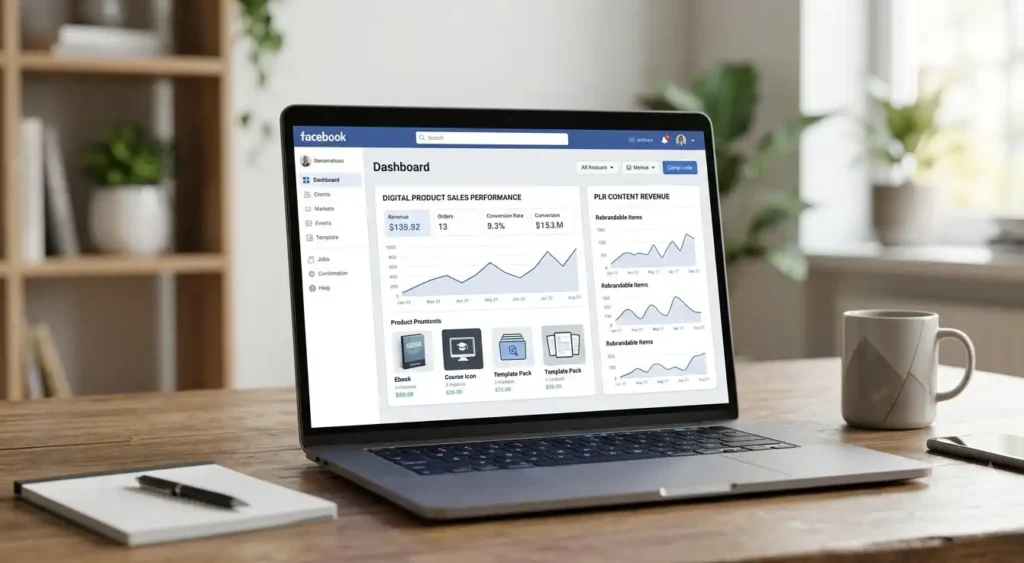 Blog
BlogHow to Use Facebook to Sell Digital Products and PLR Content
Learn how to sell digital products and PLR content on Facebook — set up your page, post content that converts, run ads, and boost engagement without spam.
Continue reading Blog
BlogFacebook Marketing for Dentists: How Dentists Can Turn Facebook Into a Patient Pipeline
Learn how dental clinics turn Facebook into booked appointments — content ideas, fast replies, local ads, and trust-building that actually works.
Continue reading Blog
BlogBoost Engagement: Buy Custom Facebook Comments in 2026
In the fast-evolving world of digital marketing, staying ahead of the curve means mastering the art of the “social signal.”…
Continue reading Blog
BlogThe Ultimate Guide to Buying Facebook Comment Replies in 2026: Ethical Strategies for Boosting Engagement
In the fast-paced world of social media marketing, Facebook remains a powerhouse for businesses aiming to connect with audiences, drive…
Continue reading Blog
BlogSupercharge Your Facebook Photos: Why Emoji Comments Are Your Secret Weapon for Engagement
In the fast-paced world of social media, simply posting a great photo on Facebook isn’t enough. To truly cut through…
Continue reading Blog
BlogScaling Your Facebook Presence in 2026: A Guide to Reel Engagement
The social media landscape has shifted dramatically. In 2026, Facebook has completed its transition into a video-first platform where “Reels”…
Continue reading Blog
BlogWhy Do Experts Emphasize the Companies to Buy Real Active Facebook Comments?
In 2026, the digital landscape has shifted from simply “having a presence” to fostering Meaningful Social Interaction (MSI). Experts emphasize…
Continue reading Blog
BlogKey Business and Marketing Reasons to Buy Real FB Comments
In today’s digital landscape, marketing is the heartbeat of business success. No company can reach its full potential without a…
Continue reading